
Data synchronisation solutions that keep your business moving
We develop dependable tools that connect your business systems and make your data easier to trust, analyse, and manage.
Why AxioWorks
Modern organisations rely on accurate, timely data. When information is spread across multiple platforms, reporting becomes slow, processes become manual, and mistakes become costly.
AxioWorks creates straightforward, reliable solutions that automate the movement of data between business systems. Our aim is to remove the friction, giving you clean, up-to-date information wherever you need it.

What sets us apart
Expertise
Years of experience working with Microsoft technologies and enterprise systems.
Reliability
Products designed to run continuously, handle large datasets, and deliver consistent results.
Transparency
Clear licensing, secure architectures, and software that places full control with the customer.
Support
Direct access to experienced engineers who understand real-world data challenges.
A trusted partner for data-driven organisations
AxioWorks products are installed worldwide across sectors including finance, pharmaceuticals, construction, and public services.
Our tools are built with security and stability in mind: no data is stored in transit, and all processing runs within our customers’ own infrastructure.
We believe in building software that is dependable, efficient, and easy to maintain.
Our Flagship Product
SQList is AxioWorks’ primary product, used by organisations that rely on SharePoint for operational data and need dependable reporting and analytics at scale.
It replicates SharePoint list data to SQL Server, enabling reliable Power BI reporting, cross-site analytics, and integration with downstream systems – without forcing changes to existing SharePoint architectures.
Alongside it, a tailored set of products offer efficient integrations that solve specific data management and synchronisation needs without unnecessary complexity.
Together, they offer a straightforward way to keep your information accurate, current, and ready for reporting or analysis.
-
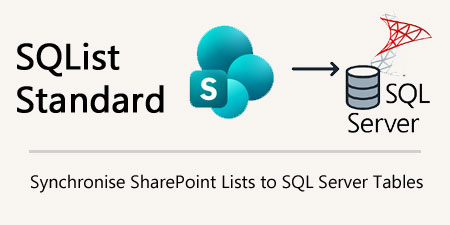
AxioWorks SQList Standard
SQList is a server-side tool that continuously exports your SharePoint lists and libraries into SQL Server tables. It keeps data synchronised in near real time, allowing you to use standard…
Our approach
We focus on creating practical solutions that solve real integration problems without unnecessary complexity.
Our products are engineered for long-term use, supported by clear documentation and responsive technical assistance.
Updates are released regularly to keep pace with platform changes and customer needs.
What our customers say
“This is the perfect fit for our company’s SharePoint infrastructure and Power BI”
Steve P.
Chief Information Officer
Information Services
“Overall, I’m very happy with the product – during the time we have been using it, it has been reliable and does exactly what it claims to do.”
Colin S.
BI Manager
Machinery
“Great Product with highly responsive Support Service”
Franklyn F.
Managing Consultant
Information Technology and Services
“A great time saving product, with great customer service to boot!”
Matthew W.
Business Intelligence Developer
Utilities
Where our solutions make an impact
-
SharePoint Power BI Report Not Updating After Refresh? Trace the Missing Change
If your SharePoint Power BI report is not updating after refresh, trace one changed item through the source, SQL reporting layer, semantic model and visual. A successful refresh confirms that an operation completed; it does not prove that the operation read the expected source or included the change you are looking for. This troubleshooting guide…
-
How to Apply Row-Level Security to Microsoft Lists Reporting in Power BI
Microsoft Lists and SharePoint lists are often where operational data starts. They are easy for business teams to manage, but they are not the same thing as a governed reporting security model. A common architecture question is this: how do you apply row-level security to Microsoft Lists reporting in Power BI without relying on SharePoint…
-
Modernisation Does Not Have to Mean Replacement
AI is changing technology quickly, but progress does not always begin by replacing what came before. A personal reflection on understanding existing systems before deciding what should change.
-
Microsoft Lists Reporting Without Another Cloud Copy: A Hybrid SQL Server Pattern for Governance and Power BI
Microsoft Lists and SharePoint lists are excellent operational tools. Teams can stand them up quickly, adapt columns as processes change, and keep day-to-day work inside Microsoft 365. The trouble starts when those same lists become important for governed reporting, audit retention, cross-system integration, or Power BI models that need to stay stable over time. A…
-
Power BI SharePoint Online Embedding in 2026: Why SQList Still Matters for SQL Server Reporting
Power BI’s July 2026 update made embedding reports in SharePoint Online easier. That is useful news for Microsoft 365 teams because it reduces friction when you want dashboards and operational reporting to appear where users already work. But easier embedding does not solve the harder problem underneath: where the SharePoint data should live before you…
-
Power BI TMDL View: Why SharePoint Reporting Still Needs a SQL Server Layer
Power BI’s July 2026 update brings TMDL View to the web, giving developers and data teams a code-oriented way to inspect and modify semantic model definitions without switching to Desktop or downloading model files. It is a useful step toward more disciplined analytics development. It also highlights a boundary that many SharePoint and Microsoft 365…
Trusted partnerships
We work with selected partners whose products complement our own. Each solution meets the same standards of reliability and clarity that define AxioWorks.

LightningTools
Lightning Tools provides specialist SharePoint and Microsoft 365 tools that enhance permissions management, list reporting, and content aggregation. Their products are designed to fill gaps in the native platform, giving organisations clearer visibility, stronger governance, and more efficient data handling. They are a well-established partner with a long track record of delivering reliable, enterprise-grade solutions.

365 Automate
365Automate provides no-code tools that extend Microsoft 365 to improve collaboration, project management, and day-to-day efficiency. Their solutions help teams organise workspaces, file emails directly to SharePoint, and turn list data into clear dashboards and project views. Everything runs securely within the customer’s Microsoft 365 environment, allowing organisations to enhance productivity without adding complexity.
Let us help you streamline your data
Whether you need to connect business systems, improve reporting, or automate a data process, we have a solution to support you.